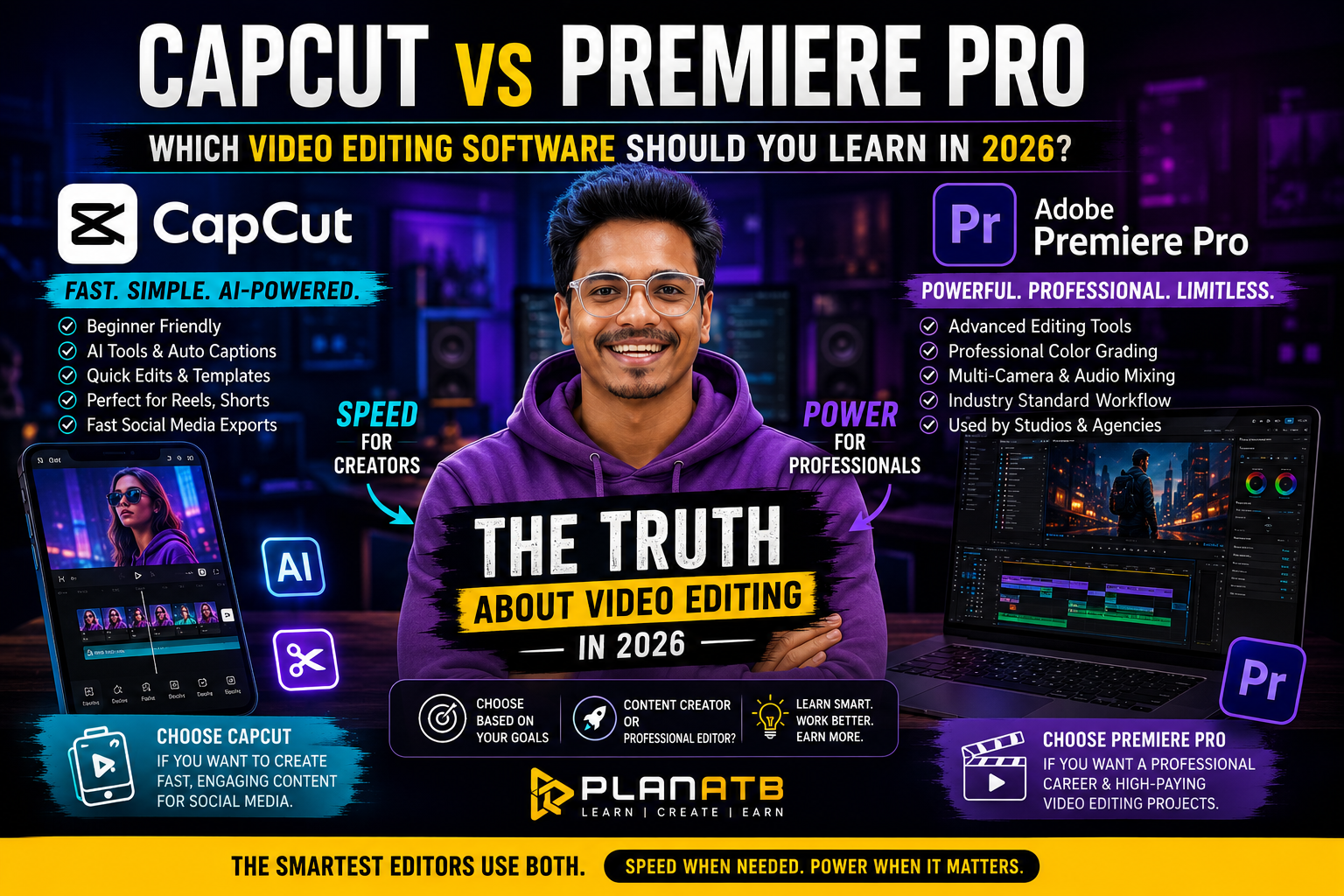
Revealing the truth about video editing in 2026: If you think it’s about the software, then no, it is all “About Your Goals.” Every year, thousands of aspiring video editors ask the same question: “Should I learn Premiere Pro or CapCut?”
And standing in 2026, the debate is bigger than ever.
CapCut is now globally trending for its simple, fast, and creator-friendly workflow, AI-powered tools, and social media-friendly features.
Meanwhile, Adobe Premiere Pro continues to excel in professional studios, such as in the production houses, the agencies, and the freelance markets, widely.
So, in this case, if you’re planning to build a future in video editing, content creation, filmmaking, freelancing, or digital marketing, then choose the software wisely so that it can save you months of learning time and impact the kind of work you can take on in the future.
The good news? There isn’t a single “best” option; instead, there are many. But the right choice depends on where you want to start and where you want your editing journey to take you.
Let’s break down how both the platforms work and help you make a well-informed choice that would lead you to a successful career.
What Is CapCut?
CapCut started just as a simple mobile editing app, but gradually it has evolved into a powerful cross-platform editing tool that is used by millions of content creators.
Today, it’s one of the most popular editing platforms for Instagram Reels, YouTube Shorts, TikTok videos, social media ads, quick content production, and influencer marketing.
The biggest strength of CapCut lies in making video editing incredibly accessible, easy, and convenient. Even being a complete beginner, you can develop professional-looking videos within hours.
Why People Love CapCut
- Because it has beginner-friendly interface
- It has fast editing workflow
- AI-powered captions
- One-click effects and transitions
- Auto-generated subtitles
- Easy social media exports
- Minimal learning curve
For content creators who are focused on speed and consistency, CapCut has become a handy tool for them.
What Is Adobe Premiere Pro?
Adobe Premiere Pro continues to be in demand for professional video editing and is used by all the professional video editors, advertising agencies, film production companies, television networks, YouTube creators, freelancers, and largely digital marketing teams.
Premiere Pro offers complete creative control over your projects. Unlike CapCut, which focuses on speed and simplicity, Premiere Pro focuses on versatility, accuracy, and powerful editing tools.
Why Professionals Choose Premiere Pro
- It has advanced editing tools
- Professional colour grading
- Multi-camera editing
- Motion graphics integration
- Audio mixing capabilities
- Industry-standard workflow
- Seamless integration with Adobe Creative Cloud
It’s designed for creators who want to work on high-end commercial projects and long-form professional content.
CapCut vs Premiere Pro: Feature Comparison
Learning Curve
CapCut is designed extremely well for beginners. Using CapCut, most of the users can start creating polished content within a few days.
Whereas Premiere Pro requires more dedication. It takes time to get handy with it. Learning timelines, sequences, color correction, keyframes, and export settings takes time but develops stronger editing skills.
So, if you are about to start your editing journey, then CapCut is just for the beginners.
Professional Opportunities
Many brands today hire creators who use CapCut. However, when it comes to agencies, production houses, corporate clients, and large-scale projects, Premiere Pro remains the preferred and first choice. Employers often expect editors to understand professional editing workflows.
Again, now if you talk about professionalism, then Premiere Pro is the best choice.
AI Features
CapCut has invested heavily in artificial intelligence. The features include:
- Auto captions
- AI voiceovers
- Background removal
- Automatic reframing
- AI effects
Premiere Pro also offers AI features through Adobe Sensei, but its primary focus remains professional editing rather than automation.
Creative Control
This is where Premiere Pro pulls ahead. You can gain access to:
- Advanced masking
- Detailed colour grading
- Complex transitions
- Audio enhancement
- Precision editing tools
CapCut offers many creative options but isn’t designed for deep post-production workflows.
Social Media Content Creation
For creators publishing multiple reels, shorts, and promotional videos daily, speed matters. Therefore, CapCut is optimized for exactly this purpose. Templates, presets, and AI tools significantly reduce editing time.
Long-Form Projects
Editing:
- Documentaries
- Podcasts
- Films
- Corporate videos
- YouTube documentaries require sophisticated project management.
And in this case Premiere Pro handles large timelines and complex workflows far better.
Which Software Do Freelance Clients Prefer in 2026?
The freelance market has changed dramatically. Today, clients generally fall into two categories:
Content-Driven Clients
These clients need:
- Reels
- Shorts
- Social media ads
- Influencer content
For these projects, CapCut skills are often enough.
Business and Corporate Clients
These clients require:
- Promotional videos
- Product launches
- Training videos
- Brand campaigns
- Professional advertisements
Most of these projects are edited using Premiere Pro. If your goal is higher-paying freelance work, learning Premiere Pro gives you a significant advantage.
What Should Beginners Learn First?
If you’re completely new to editing, starting with CapCut can build confidence quickly. And you can get yourself adapted to editing through this.
You’ll learn:
- Storytelling basics
- Timing and pacing
- Text animation
- Audio synchronization
- Social media editing techniques
Once you’re comfortable learning the basis, then transitioning to Premiere Pro becomes much easier. Think of CapCut as learning to drive an automatic car and Premiere Pro as mastering a professional racing vehicle.
Both get you moving, but one offers greater control and career opportunities.
The Plan At B Recommendation
At Plan At B, we train aspiring creators for the realities of the modern content industry—not outdated industry trends. Our recommendation for 2026 is simple:
If you want to become a content creator, then you should start with CapCut and learn how to create engaging short-form content quickly and consistently.
And if you want a professional editing career, then you should invest your time in Premiere Pro. Mastering professional editing tools opens doors to agencies, brands, production companies, and premium freelance projects.
If you want the best career growth, then learn both the tools. The most successful editors in 2026 understand and know when and where to implement both. This means they know how to use CapCut for speed and Premiere Pro for advanced projects. So basically, having a grip on this combination makes you adaptable, employable, and future-ready.
Final Verdict: CapCut or Premiere Pro?
The answer depends entirely on your goals.
Choose CapCut if you want to learn fast content creation, social media growth, easy learning, and AI-powered editing.
And choose Premiere Pro if you want to gain professional opportunities, advanced editing skills, higher-paying projects, and long-term career growth.
The smartest editors aren’t choosing one over the other. They’re learning both and using each tool where it performs best. Because in 2026, clients don’t pay for the software you use. Rather, they pay for the results you deliver.
Looking to master video editing? Then visit the Plan At B website for more expert tips, career guidance, and creative insights.